
Table of Contents
- Introduction: Why SEO CMS Content Workflows Are Changing
- Manual SEO Content vs Integrated AI CMS Workflows
- WordPress‑First SEO CMS Integration with Lyfe Forge
- Beyond WordPress: APIs, Headless CMS and SEO Programmatic Scale
- Fact‑Checking, E‑E‑A‑T and AI Content Quality for SEO CMS Content
- Practical Tips to Choose and Implement an SEO CMS Tool
- Conclusion: Turning SEO Content into a Repeatable System
Date published: 30 March 2026
Estimated reading time: 11 minutes
SEO CMS Content: How Lyfe Forge Publishes Fact‑Checked Articles Straight to WordPress
Introduction: Why SEO CMS Content Workflows Are Changing
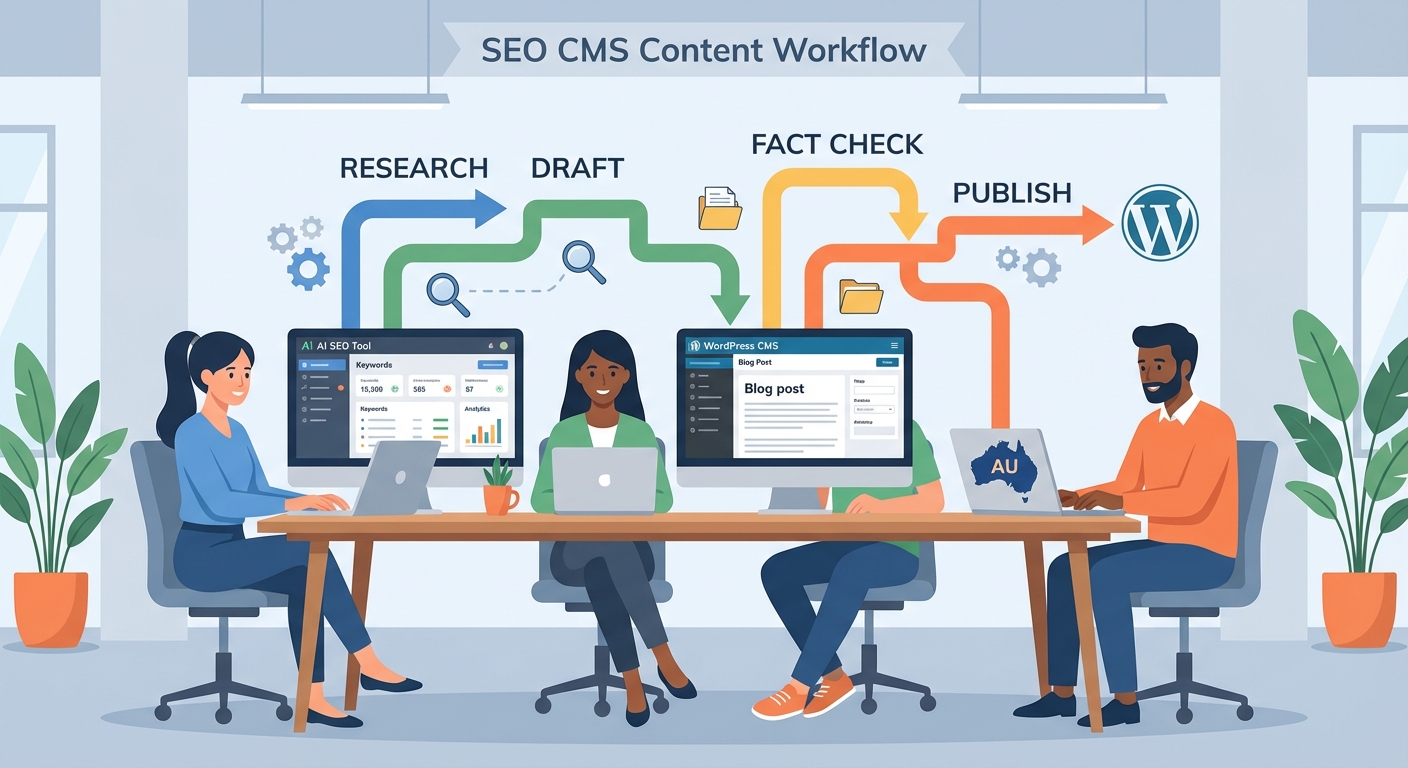
If you publish SEO CMS content today, you probably feel the pressure from every side. You need more articles, better rankings, and fewer mistakes – all with the same tiny team. That is exactly where an AI SEO tool like Lyfe Forge slots in.
Instead of bouncing between keyword tools, Google Docs and WordPress tabs, Lyfe Forge lets you research, draft, fact‑check and push content straight into your CMS. WordPress is the star here, but the same model works for other platforms too. In this guide, we’ll unpack how this workflow works, how it compares to manual methods, and what you should look for before investing.
By the end, you’ll know how to judge SEO CMS content tools, how Lyfe Forge’s fact‑checking pipeline helps Australian brands, and whether this approach fits your own stack.
Sources used in this section: https://lyfeforge.com.au/
Manual SEO Content vs Integrated AI CMS Workflows
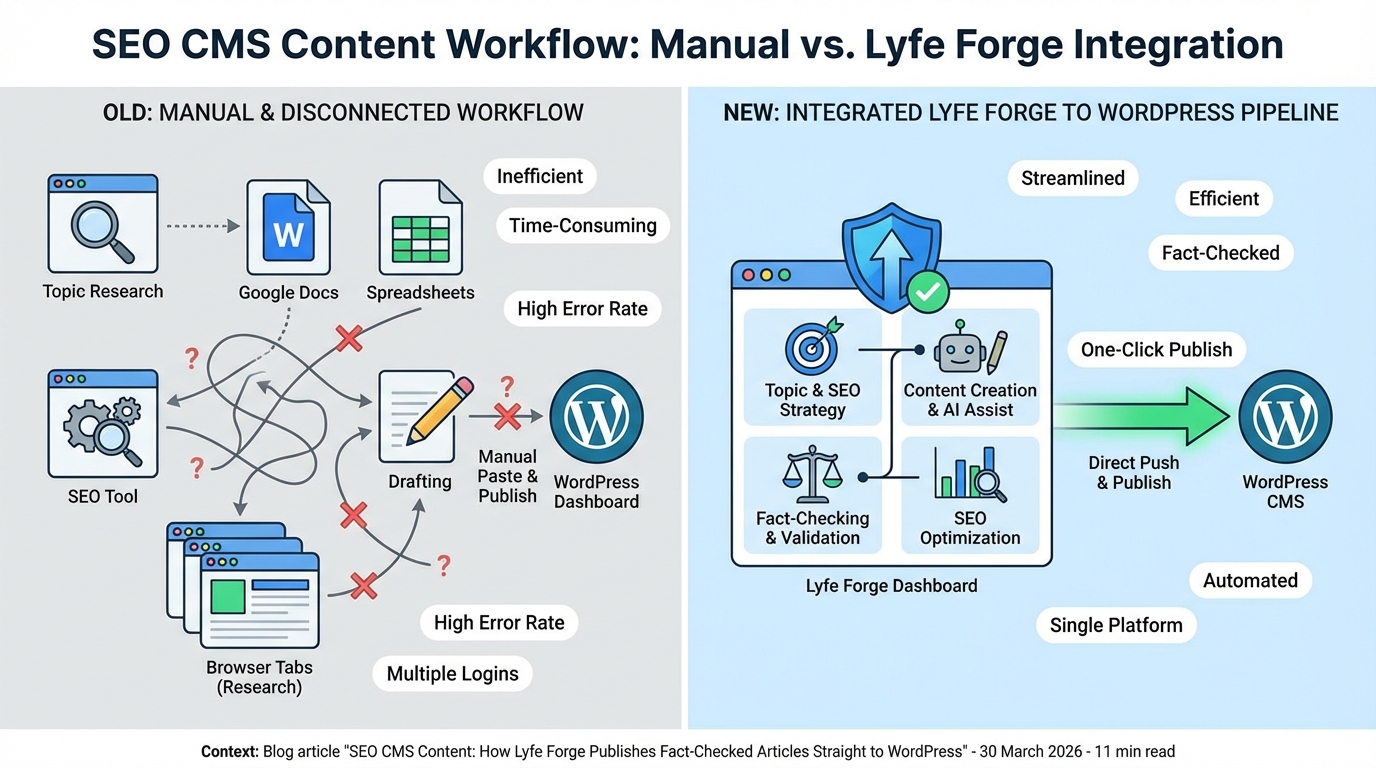
Let’s start with the “old way”. A typical manual SEO workflow looks like this: research keywords in one tool, write a brief in another, draft in Google Docs, fact‑check across random tabs, then copy‑paste into WordPress and fix everything that broke on the way in. After that you still have titles, meta descriptions, internal links, schema, images, and tracking to set up.
This stops teams scaling. Every hand‑off adds risk: formatting glitches, missing metadata, broken links, wrong URLs. Research on manual and fragmented workflows shows that breaking processes across multiple owners commonly leads to avoidable errors and slower turnaround, especially when different people handle each step of the pipeline, from draft to review to upload. Those small frictions stack into real cost and missed opportunities. https://kissflow.com/workflow/challanges-of-manual-workflow
A CMS‑integrated AI SEO tool like Lyfe Forge flips that script. You define your SEO strategy and target keywords in one place. From there, you generate briefs and outlines directly aligned to search intent, produce an AI draft that already includes citations to authoritative sources, and then review it for brand voice and accuracy. When you hit publish, the tool pushes everything – body content, headings, images, metadata and internal links – straight into your CMS.
“For content teams in Australia, that means an in‑depth article that might normally take 6 – 10 hours across writer, editor and SEO can, based on documented productivity gains from integrated AI‑driven workflows, realistically fall into the 3 – 5 hour range once everything is dialled in (as supported by time‑saving data reported by Survey reveals how AI is saving time in workplace tasks and broader workflow automation efficiencies. You are not cutting corners; you are cutting the dead time between tools. The outcome is more articles per month, more consistent on‑page optimisation, and fewer late‑night fixes in WordPress.
Another important shift is where humans spend their time. Instead of manually pasting and reformatting, editors can focus on deeper tasks like checking claims, tightening arguments, and ensuring the content reflects local Australian context. SEOs can focus on strategy and performance analysis instead of firefighting missing schema or noindex tags after the fact.
Sources used in this section: https://lyfeforge.com.au/ https://www.trysight.ai/blog/cms-integration-for-content-publishing https://kissflow.com/workflow/challanges-of-manual-workflow
WordPress‑First SEO CMS Integration with Lyfe Forge
WordPress still powers a huge share of marketing sites in Australia and remains the most widely used CMS here and globally, from solo consultants through to national franchises WordPress Statistics 2024 Website Statistics 2024 WordPress Market Share. So any serious SEO CMS content tool needs a rock‑solid WordPress story. Lyfe Forge was built with that reality in mind: it connects directly to WordPress, pushes drafts in one click, and plays nicely with your existing SEO plugins.
The connection itself is straightforward. In WordPress, you generate an Application Password from your user profile. That unique key lets Lyfe Forge talk to your site without ever sharing your main login. In the Lyfe Forge dashboard you enter your URL and the password once, and from then on you can send new posts to that site as drafts ready for editorial review. Images are uploaded into the Media Library, and featured images are set automatically so your team doesn’t have to repeat busywork.
Because Lyfe Forge is WordPress‑aware, it works smoothly alongside popular SEO plugins like Yoast, Rank Math, AIOSEO, and SEOPress, and lets you shape the workflow around whichever one your team has standardized on. For example, many teams use Rank Math’s FAQ block to add structured FAQ content to posts, which then outputs clean FAQPage schema for rich results. An integrated tool can generate FAQ content already formatted for that block, giving you a head start on both readability and search features without hacking HTML. https://rankmath.com/kb/faq-schema-block/
Front‑end wise, content is published as native Gutenberg blocks. That means your editors can still drag‑and‑drop, insert reusable blocks, or tweak layouts using the same interface they know. You aren’t locked into a black‑box template. Instead, Lyfe Forge handles the heavy lifting – research, first draft, citations, images, metadata – while WordPress keeps doing what it’s good at: flexible content management.
For multi‑site agencies, this WordPress‑first approach matters even more. You can manage multiple brands from one Lyfe Forge workspace, each mapped to a different WordPress install, with their own tone of voice and approval flows. That is a big step up from spreadsheets and shared drives where content gets lost or duplicated.
Sources used in this section: https://lyfeforge.com.au/ https://rankmath.com/kb/faq-schema-block/
Beyond WordPress: APIs, Headless CMS and SEO Programmatic Scale
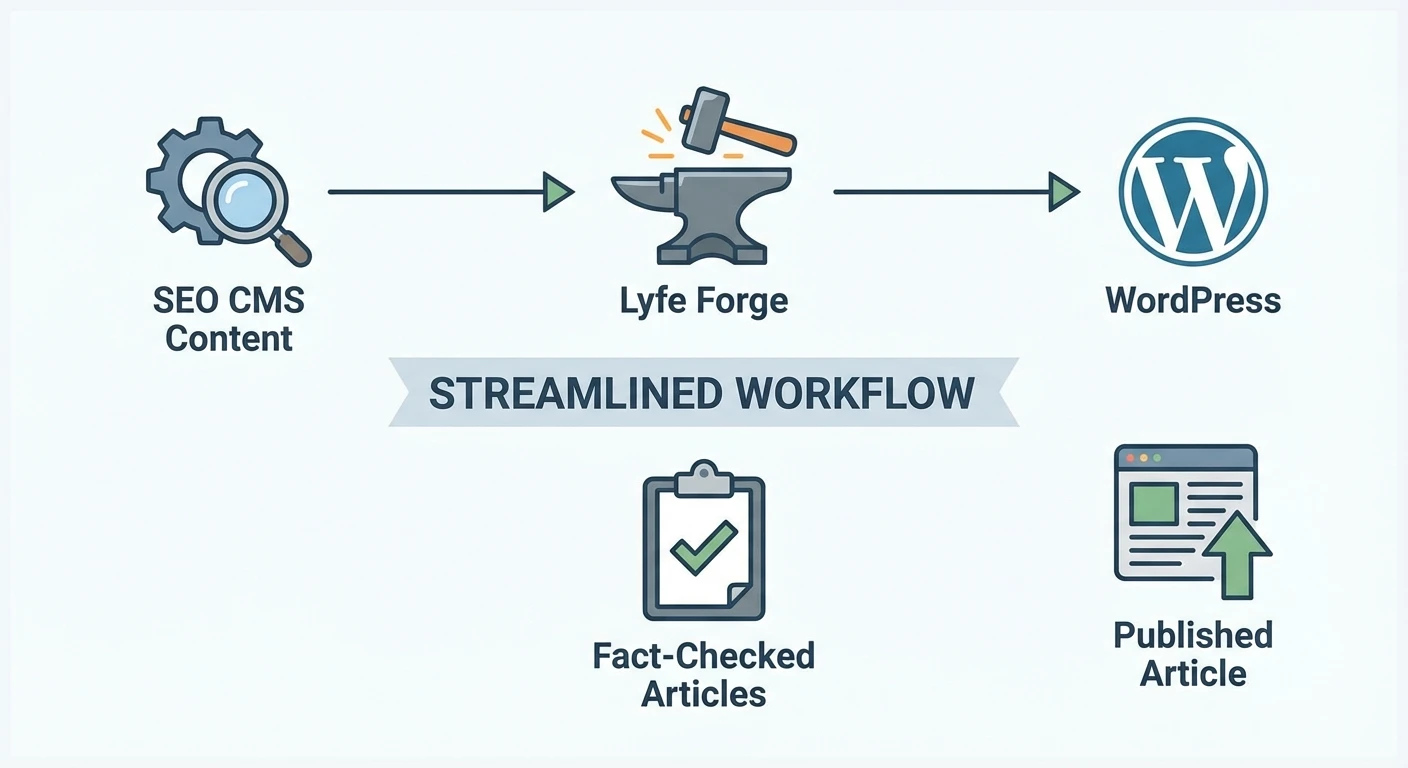
Not every Australian business runs vanilla WordPress. Agencies increasingly work with Craft, Strapi, Storyblok or headless WordPress for multi‑channel experiences. SEO CMS content tools need to follow that reality, which is where API‑based integrations come in.
With API connections, a tool like Lyfe Forge connects directly to your CMS using API keys or OAuth. It can fetch your content models – think Craft sections, Storyblok components, or Strapi content types – and then map its own fields to those structures. From there, you can generate content in bulk and push it back to the CMS with a single operation, ready for your front‑end to consume across web, apps, or even digital kiosks.
Craft CMS users can look at the SEOmatic plugin as an example of deep SEO integration. SEOmatic syncs with Craft’s fields and entry types, then manages metadata, sitemaps and schema from within the CMS itself, instead of bolting SEO on at the end. That same pattern – tight CMS awareness plus centralised SEO logic – is exactly what Lyfe Forge‑style tools apply on the AI content side. https://nystudio107.com/docs/seomatic/v4/
In larger digital stacks you might also see middleware such as ApiX‑Drive or Zapier used as the glue. Here, the SEO tool doesn’t talk to the CMS directly; it sends structured content to the automation platform, which then pushes it into Webflow, Drupal, or another system as needed. This approach shines when you have many smaller sites on different platforms and want one central place to orchestrate them. Harnessing AI for SEO: Integrating Advanced Tools into CMS Workflows covers this style of setup in more depth.
Headless WordPress deserves a quick mention too. A growing number of Australian enterprises now run WordPress primarily as a content hub, exposing content via REST or GraphQL APIs to modern front‑ends built with frameworks such as React or Next.js. Research from WP Engine and commentary from Australian agencies shows this pattern is accelerating across larger organisations adopting headless architectures for performance, agility, and omnichannel delivery, while still leaning on WordPress familiarity in the back office. An AI SEO tool that already understands WordPress structure can slot into these setups with very little extra work. https://wpengine.com.au/resources/the-rise-of-multi-cms-wordpress-and-headless-in-the-enterprise
Sources used in this section: https://lyfeforge.com.au/ https://nystudio107.com/docs/seomatic/v4/ https://apix-drive.com/en/blog/useful/integrate-seo-ai-automation-into-cms-workflows https://wpengine.com.au/resources/the-rise-of-multi-cms-wordpress-and-headless-in-the-enterprise
Fact‑Checking, E‑E‑A‑T and AI Content Quality for SEO CMS Content
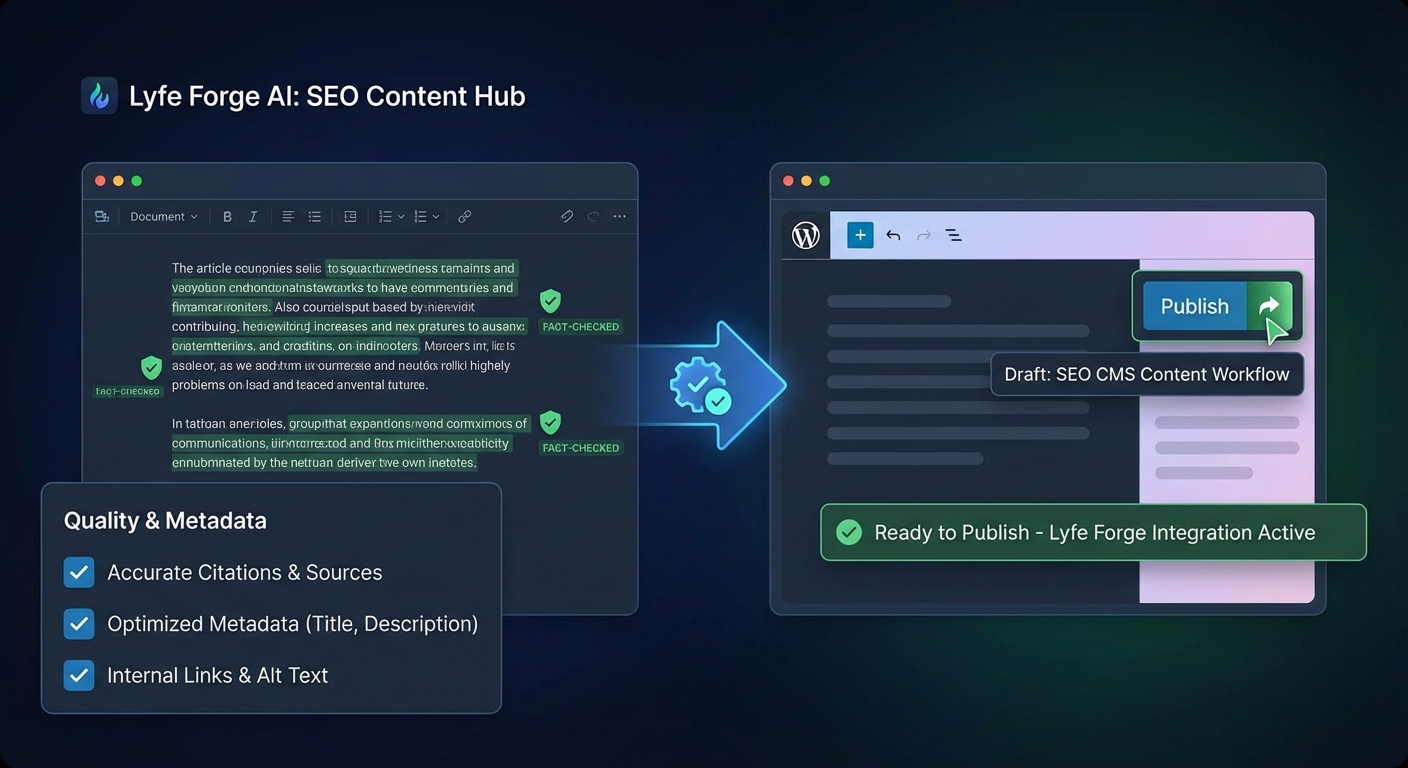
The biggest fear many marketers have with AI content is simple: “What if it’s wrong?” A clever headline is useless if the stats are made up or the advice would get a client in trouble. That is why Lyfe Forge puts fact‑checking and source citations at the centre of its workflow, not as an afterthought.
Under the hood, Lyfe Forge taps into a curated mix of AI research tools rather than a single, monolithic model. It taps into a curated mix of AI models and research tools in parallel, then cross‑checks and aggregates the strongest, most consistent answers. From there, it builds a draft that already contains references to reliable sources, so your editor isn’t starting from a blank page or a wall of unverified claims. This approach does not replace human judgement, but it does drastically cut the time you spend hunting for backing evidence.
From an SEO angle, this lines up with Google’s public guidance on AI‑generated content. Google has stated that it focuses on the helpfulness and quality of a page, not whether a human or an AI typed the first version. What it does crack down on is low‑value, unoriginal material produced at scale purely to manipulate rankings. If you use AI to support experienced writers and keep a strong review step, you remain within Google’s rules. However, some experts argue that this framing can feel a bit too optimistic in practice. Google may not explicitly forbid AI‑assisted workflows, but its systems are ruthless about surfacing patterns of thin, derivative, or formulaic content – which is exactly what many AI outputs look like without deep human intervention. In other words, simply having an editor skim AI‑generated drafts doesn’t magically transform them into “safe” or high‑value assets. If the end result still reads like generic, stitched‑together knowledge with no unique angle, no original examples, and no real expertise, it can easily fall into the same bucket as the low‑value content Google aims to demote. The real compliance layer isn’t the presence of AI or humans per se; it’s the meaningful human input, judgment, and refinement that turn an AI draft into something genuinely useful, distinctive, and aligned with what Google actually rewards https://google.com/search/docs/fundamentals/using-gen-ai-content
E‑E‑A‑T – Experience, Expertise, Authoritativeness and Trustworthiness – is still the north star for content quality. Structured data can help here, but it’s important to be honest about what schema can and cannot do. Marking up authors, organisations and review information makes it easier for search engines to understand who stands behind the content, yet it does not magically “add” expertise on its own. It simply makes your real‑world signals clearer. https://www.searchenginejournal.com/google-eat/structured-data
That’s why an integrated SEO CMS workflow should always include a human review gate. The AI can propose a draft in your brand voice. Then an editor checks facts, adds local examples (say, an Australian case study), updates stats, and ensures the advice fits your risk profile. Only then does the content get the green light to be pushed into WordPress or your headless CMS as a draft.
Used this way, tools like Lyfe Forge actually raise quality. They remove grunt work and surface credible sources, so your team can spend energy where it matters: insight, storytelling, and long‑term trust with both readers and search engines.
Sources used in this section: https://lyfeforge.com.au/ https://developers.google.com/search/docs/fundamentals/using-gen-ai-content https://www.searchenginejournal.com/google-eat/structured-data https://edgeblog.ai/blog/ai-content-2026-what-google-actually-penalizes
Practical Tips to Choose and Implement an SEO CMS Tool
If you’re thinking about moving to an integrated SEO CMS content workflow, it helps to be quite methodical. Here’s a simple checklist you can walk through with your team.
First, map your current process. List every step from keyword research to “post is live and tracked”, along with who owns it. Highlight where time is lost – usually briefs, fact‑checking, formatting and upload. This gives you a baseline so you can measure improvement once you bring a tool like Lyfe Forge into the mix.
Next, compare tools on integration depth, not just headline AI features. Ask questions like: Does it connect to WordPress using secure Application Passwords? Can it publish as drafts rather than straight to live? Does it respect my SEO plugin setup and support things like FAQ blocks or Article schema via existing tools such as Schema Pro? The more it adapts to your stack, the less re‑work you’ll face. https://hungwordpress.com/wp-schema-pro/
On the governance side, decide up front who approves what. For example, you might let junior writers request AI drafts in Lyfe Forge, but require a senior editor to approve any post before it’s pushed to the CMS. Build a simple naming system so content in your tool matches content in your CMS, and avoid version chaos.
Finally, schedule regular reviews. Every quarter, look at which AI‑assisted articles are bringing in traffic and leads, and refresh key pieces with new data. Because Lyfe Forge tracks performance through its Google Search Console and Google Analytics 4 integrations, you can spot the posts worth updating instead of guessing. Over time this turns content production from a mad dash into a calm, repeatable system.
Sources used in this section: https://lyfeforge.com.au/ https://hungwordpress.com/wp-schema-pro/ https://www.trysight.ai/blog/cms-integration-for-content-publishing
Conclusion: Turning SEO Content into a Repeatable System
SEO CMS content does not have to mean endless copy‑paste and late‑night fixes in WordPress. With a tool like Lyfe Forge, you can plan, generate, fact‑check and publish high‑quality articles straight into your CMS, with WordPress taking the lead and other platforms connected via APIs.
The real win is not just speed. It is the shift from messy, manual workflows to a predictable, governed system that supports E‑E‑A‑T and long‑term organic growth. If you’re ready to see how that could look for your team, explore what Lyfe Forge pricing and free plans offers, start a trial with one WordPress site, and measure the before‑and‑after in both hours saved and traffic gained.
Sources used in this section: https://lyfeforge.com.au/
© 2026 Lyfe Forge. All rights reserved.
Frequently Asked Questions
What is Lyfe Forge and how does it work with WordPress for SEO content?
Lyfe Forge is an AI-powered SEO content tool that connects directly to your CMS, with WordPress as a primary focus. It lets you do keyword research, generate SEO briefs, create AI‑assisted drafts with citations, fact‑check, and then publish straight into WordPress with headings, metadata, internal links, and tracking already set up.
How does Lyfe Forge publish articles straight to my WordPress site?
Lyfe Forge integrates with your WordPress CMS via a secure connection (typically using the WordPress REST API and API keys). Once connected, you can push approved articles directly from Lyfe Forge into WordPress as drafts or published posts, including the body content, headings, featured image, meta title and description, categories, tags, and internal links.
How does Lyfe Forge fact check AI generated content before publishing?
Lyfe Forge’s workflow generates drafts that include citations to authoritative sources and then runs those claims through a fact‑checking step. You can see which statements are backed by which sources, review or swap references, and correct anything before it’s pushed to WordPress, helping reduce hallucinations and obvious factual errors.
Is using AI content with Lyfe Forge safe for SEO and Google rankings?
Lyfe Forge is designed around Google’s E‑E‑A‑T and “helpful content” principles by focusing on factual accuracy, source citations, and clear search‑intent alignment. You still review and approve every article, but the tool speeds up research, drafting, and on‑page SEO, so your content is more likely to meet quality standards rather than be flagged as thin or spammy AI content.
What are the benefits of using an integrated SEO CMS workflow instead of manual SEO content creation?
An integrated workflow like Lyfe Forge reduces hand‑offs and copy‑pasting between tools, which cuts down on formatting errors, missing metadata, and broken links. It also centralises keyword research, briefing, drafting, fact‑checking, and publishing, so teams can scale output faster without sacrificing quality or spending hours fixing posts inside WordPress.
Can Lyfe Forge replace Google Docs and other tools in my current content process?
For many teams, Lyfe Forge replaces a mix of keyword tools, briefing templates, Google Docs, and manual on‑page SEO work in WordPress. You can still export or share content if you need additional stakeholders to review in their usual tools, but the core research‑to‑publish pipeline lives in Lyfe Forge to minimise fragmentation.
How does Lyfe Forge handle SEO elements like meta descriptions, internal links and schema in WordPress?
When you generate and publish an article, Lyfe Forge can create optimised titles and meta descriptions aligned to your target keywords. It can also suggest or insert internal links to existing content and support structured data or schema fields where your WordPress setup or SEO plugin allows it, so you’re not manually configuring each post.
Does Lyfe Forge only work with WordPress or can it publish to other CMS platforms?
WordPress is the main CMS highlighted in Lyfe Forge’s workflow, but the same integration model can be used for other platforms that support API publishing. If you’re on a non‑WordPress CMS, you can usually connect via custom integrations or a headless setup so Lyfe Forge can still push content directly into your system.
How does Lyfe Forge keep my brand voice and local Australian context while using AI?
You can set brand guidelines, tone preferences, and target audiences inside Lyfe Forge so the AI drafts align more closely with your voice. For Australian brands, you can focus on AU search intent, local terminology, and domestic sources in the fact‑checking pipeline, so articles feel native rather than generic global content.
What should I look for when choosing an AI SEO tool that integrates with my CMS?
Look for direct CMS integration (especially WordPress), transparent fact‑checking and citation features, control over brand voice, and strong on‑page SEO support (titles, metadata, internal links, schema). Also check how it handles collaboration, user permissions, and review steps, so your team can keep editorial control while still getting the speed benefits of AI.